Learn how to add a Keragon webhook in Fireflies.
Go to app.fireflies.ai
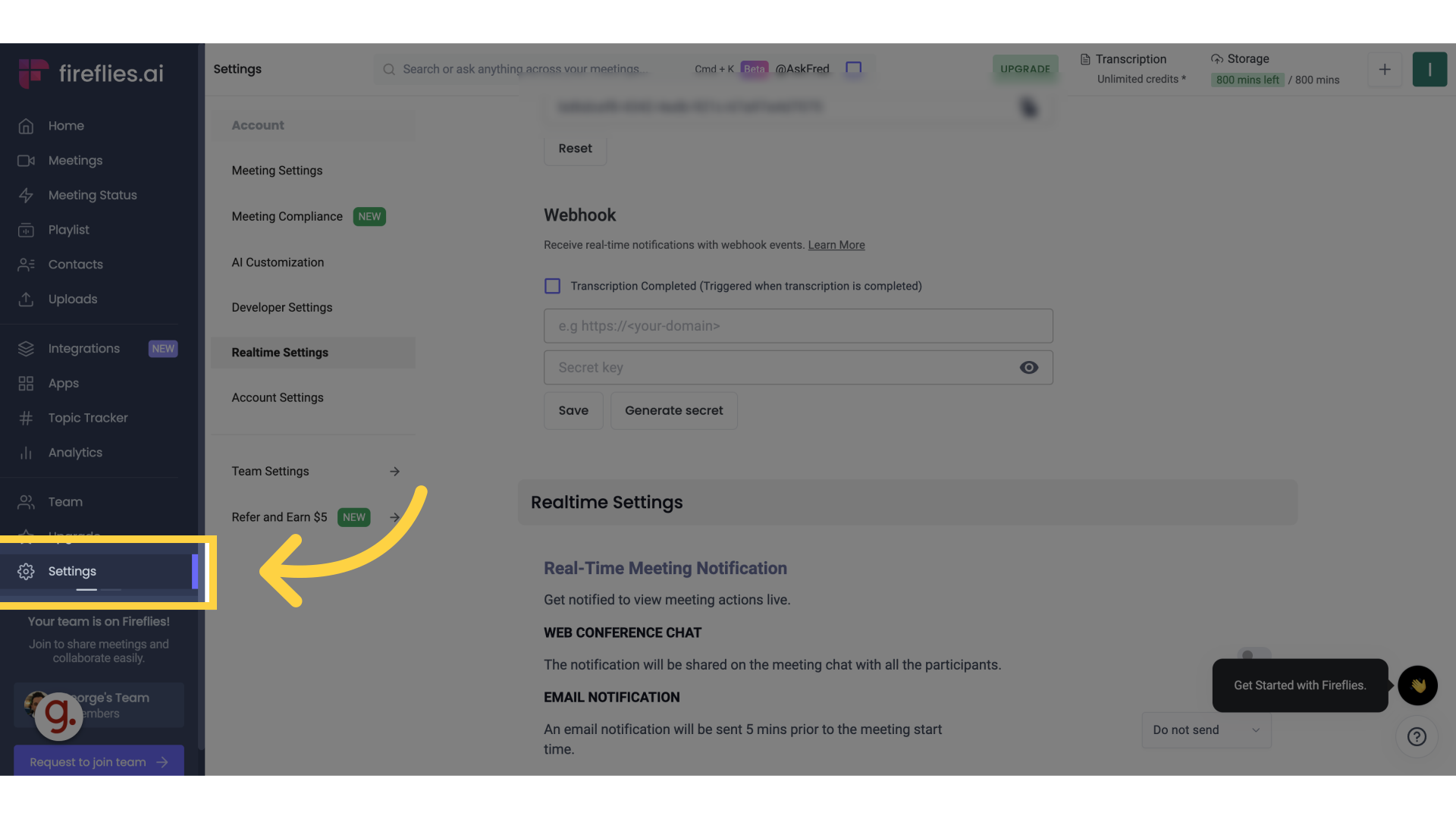
1. Click "Settings"
Navigate to "Settings" section.
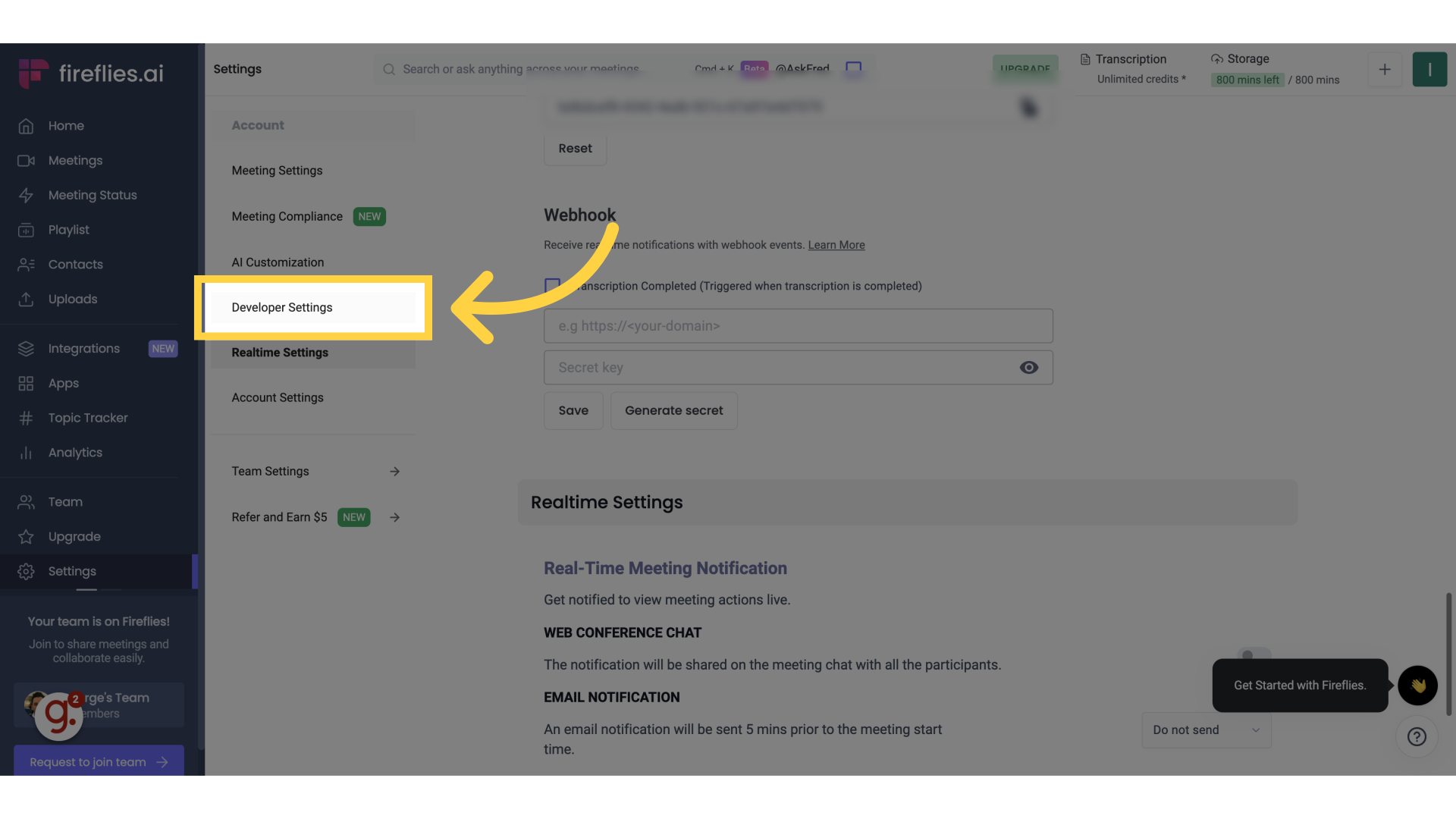
2. Click "Developer Settings"
Access the "Developer Settings" option
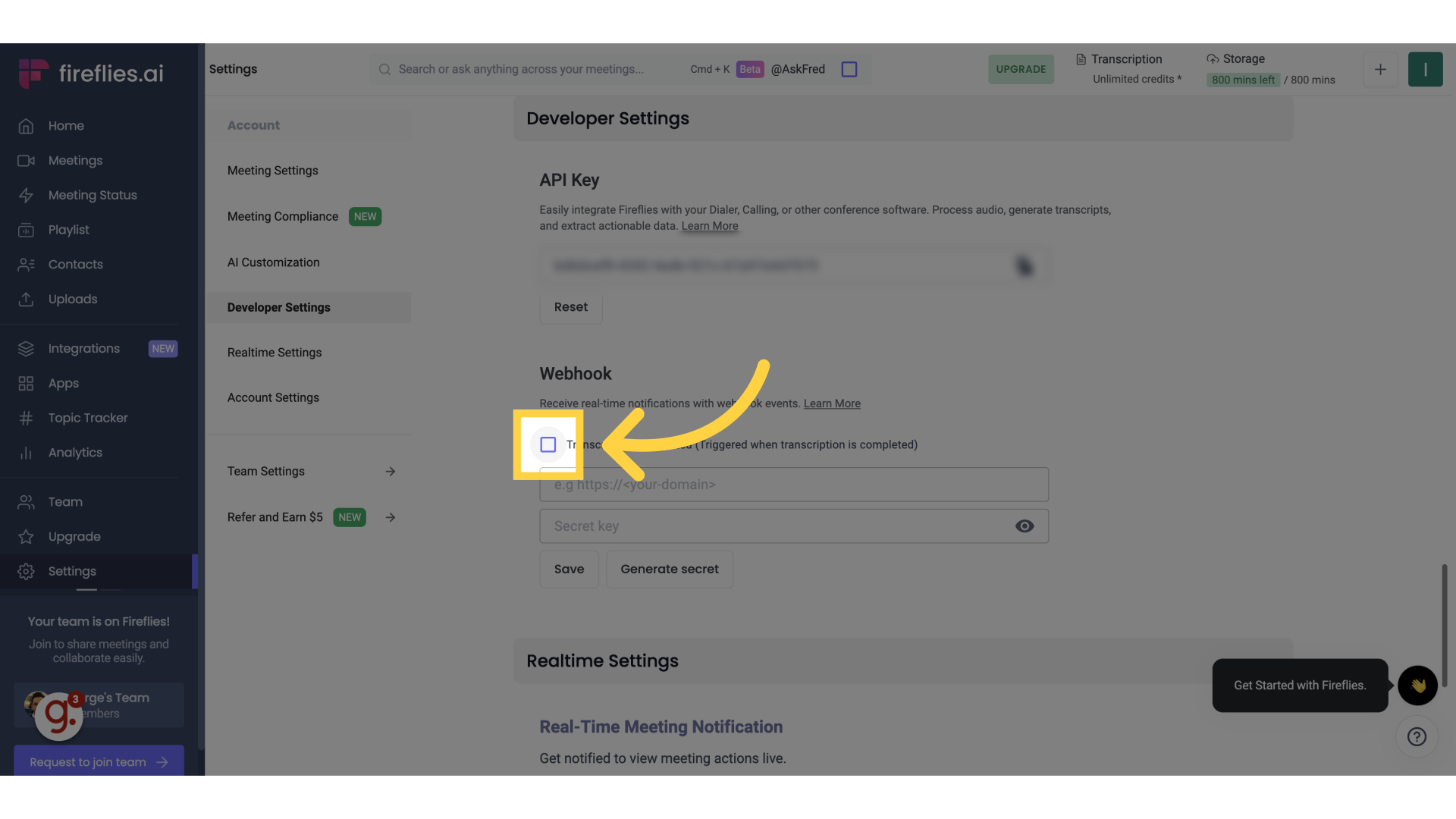
3. Click "Transcription Completed"
Select "Transcription Completed" from the menu
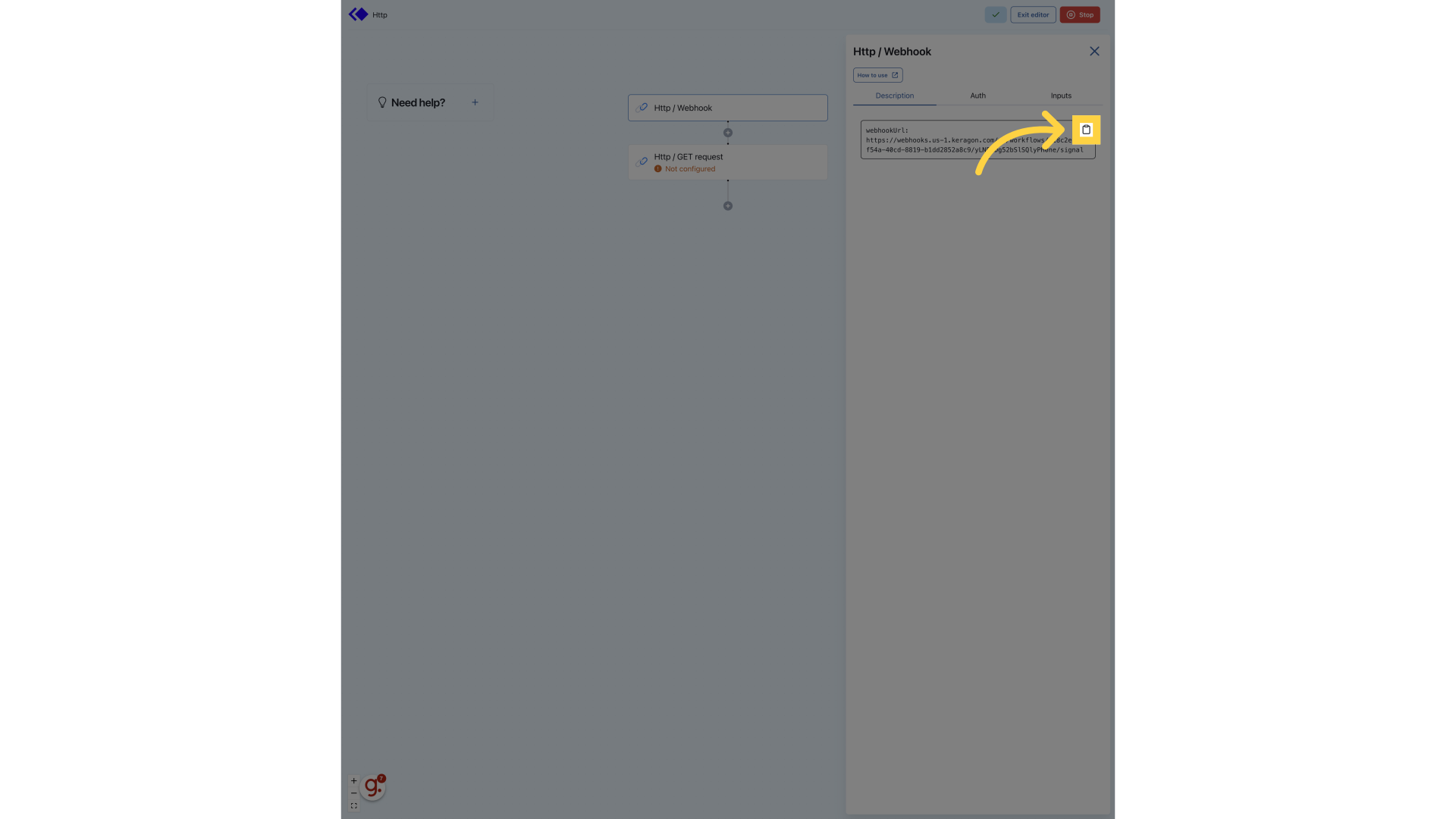
4. Copy "WebhookURL"
Copy the webhook URL from your keragon trigger
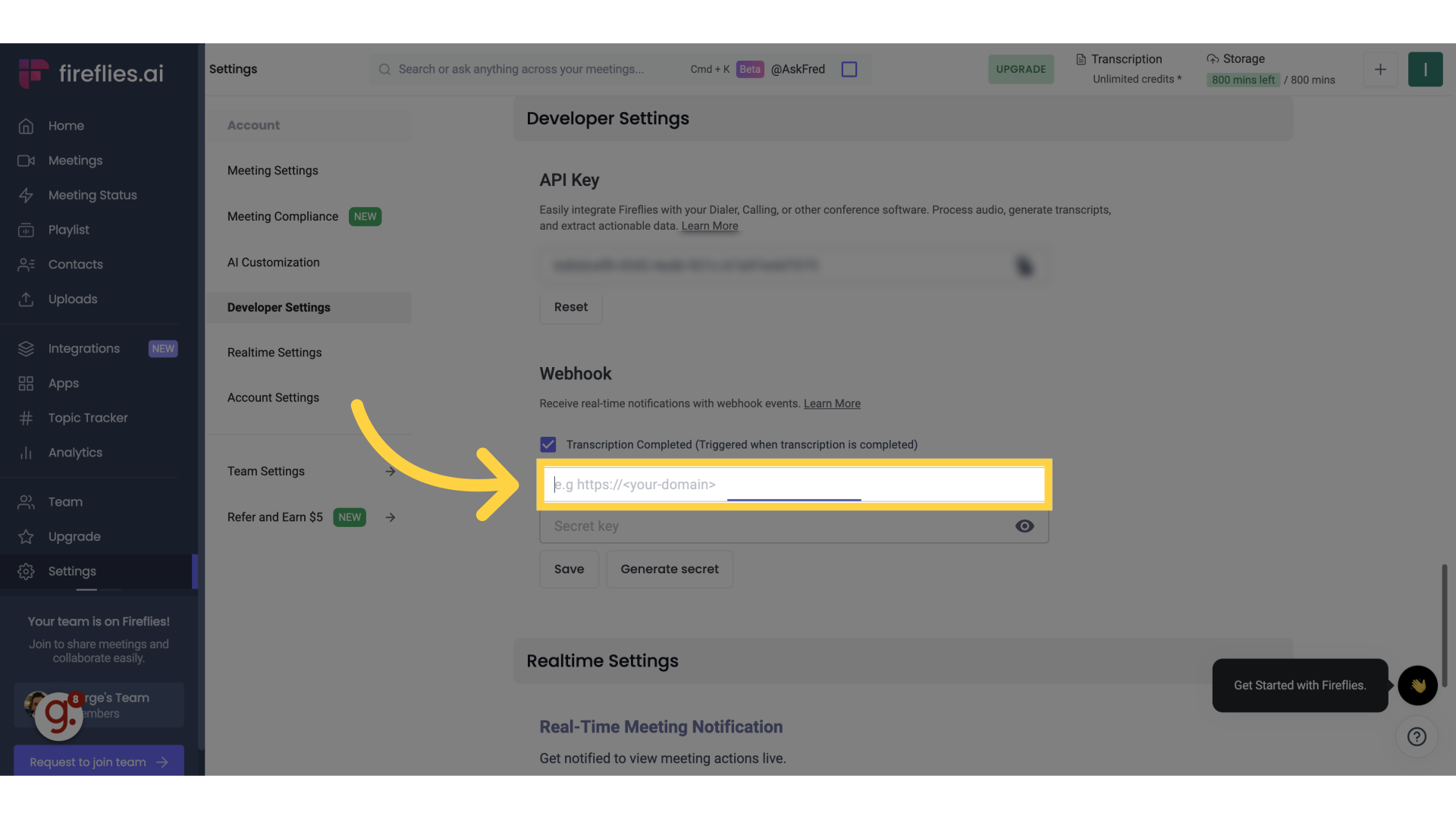
5. Paste it here
Paste your Keragon webhook url
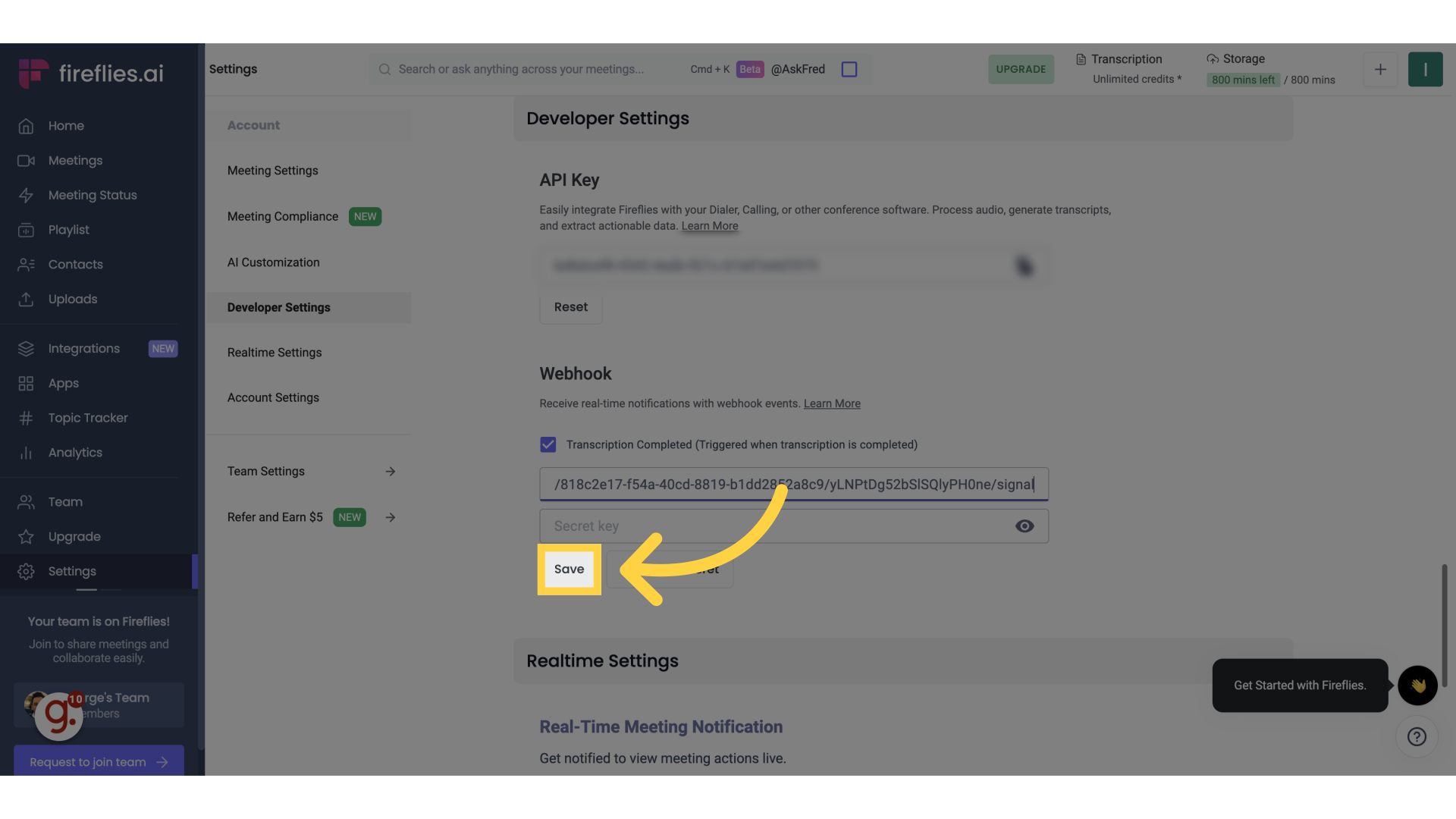
6. Click "Save"
Save the changes made
This guide walks you through adding a webhook in Fireflies to act as a trigger in Keragon.