Get the access token and Org ID that the MedChat connector uses to connect to your MedChat organization.
You need the Developer role in MedChat.
1. Copy your Org ID
- In MedChat, go to Admin > Developer and click MedChat Auth in the left sidebar.
- Under Your org ID, click Copy.
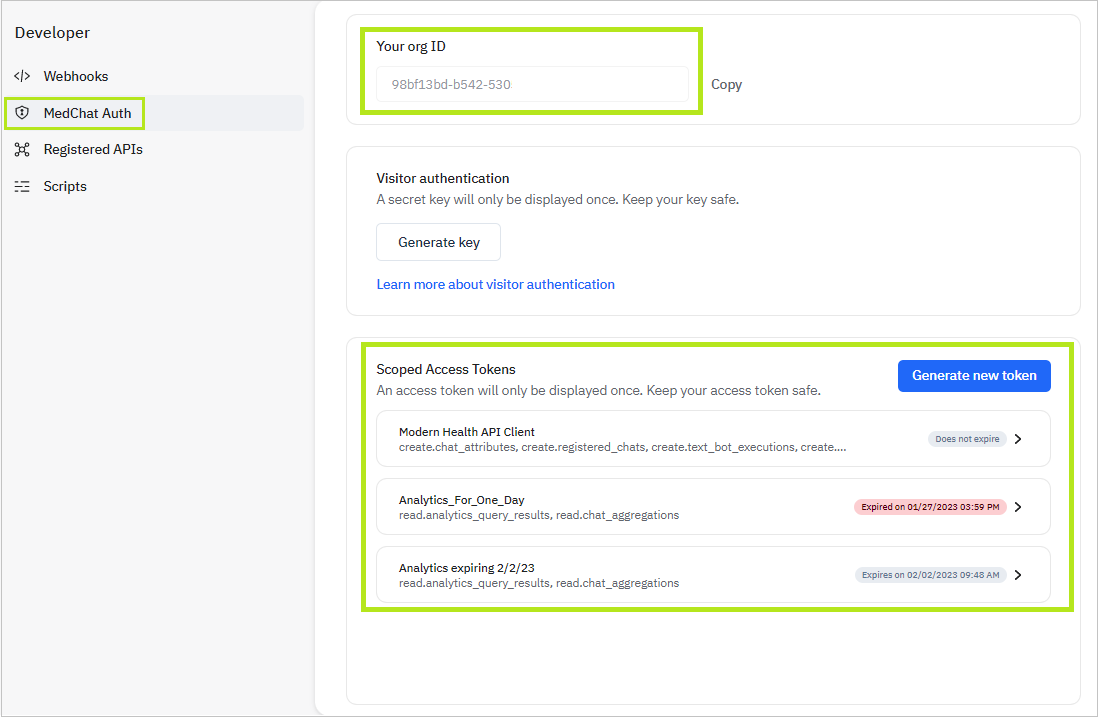
2. Generate an access token
- Under Scoped Access Tokens, click Generate new token.
- Enter a Token name, for example Keragon.
- Optional: pick an Expiration date. You can't change it later, so when the token expires, generate a new one and update it in Keragon.
- Under Select scopes, select read.my_orgs.chats. To use the Send message action, also select impersonate.bot under Chat Bots.
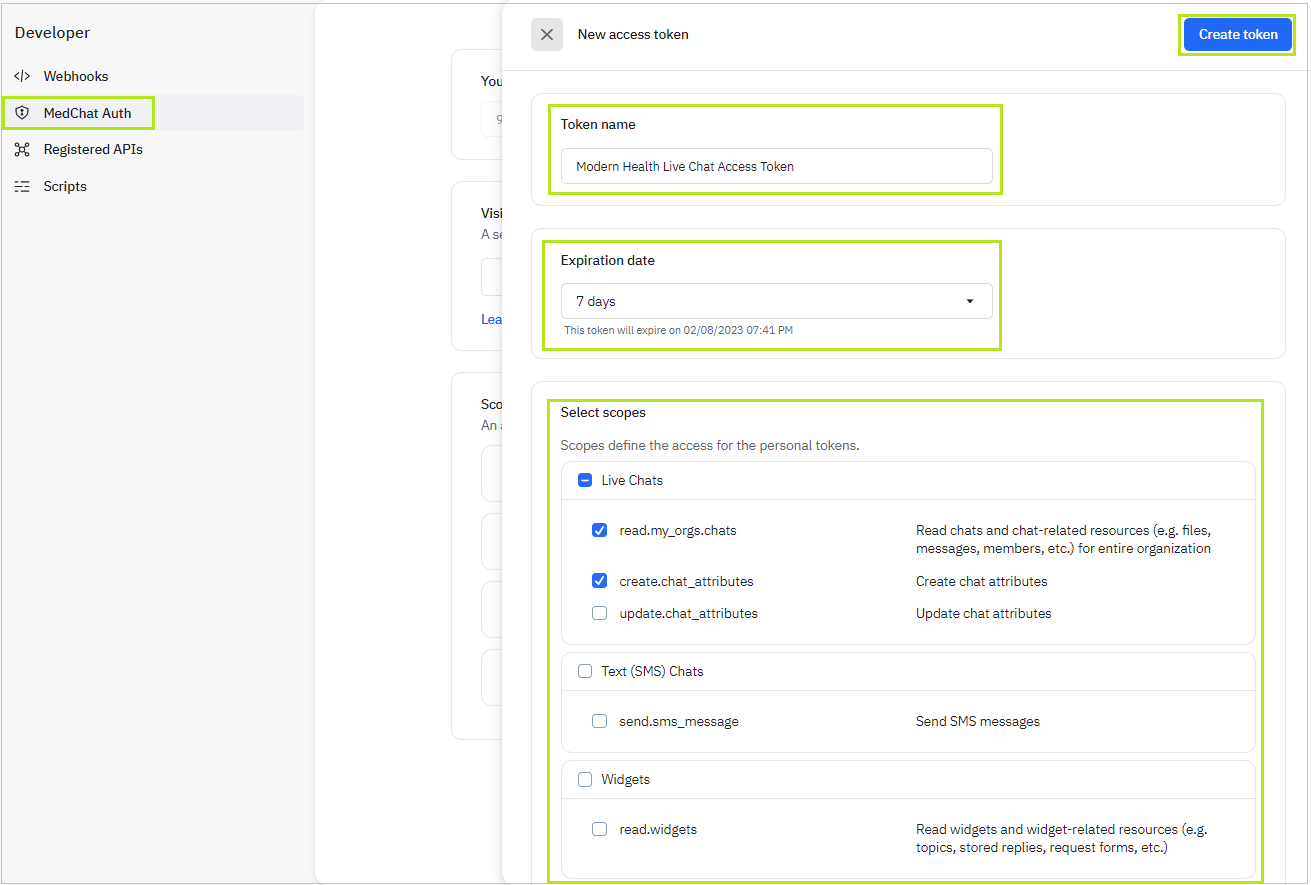
- Click Create token, then click Copy. MedChat shows the token only once.

3. Add the credentials in Keragon
- When you connect MedChat in Keragon, paste the access token into API key and the org ID into Org ID.
- Save. Keragon checks the token and Org ID when you save.