This article explains how to set up a webhook in ScoreUp.
1. Select Scorecard And Integration
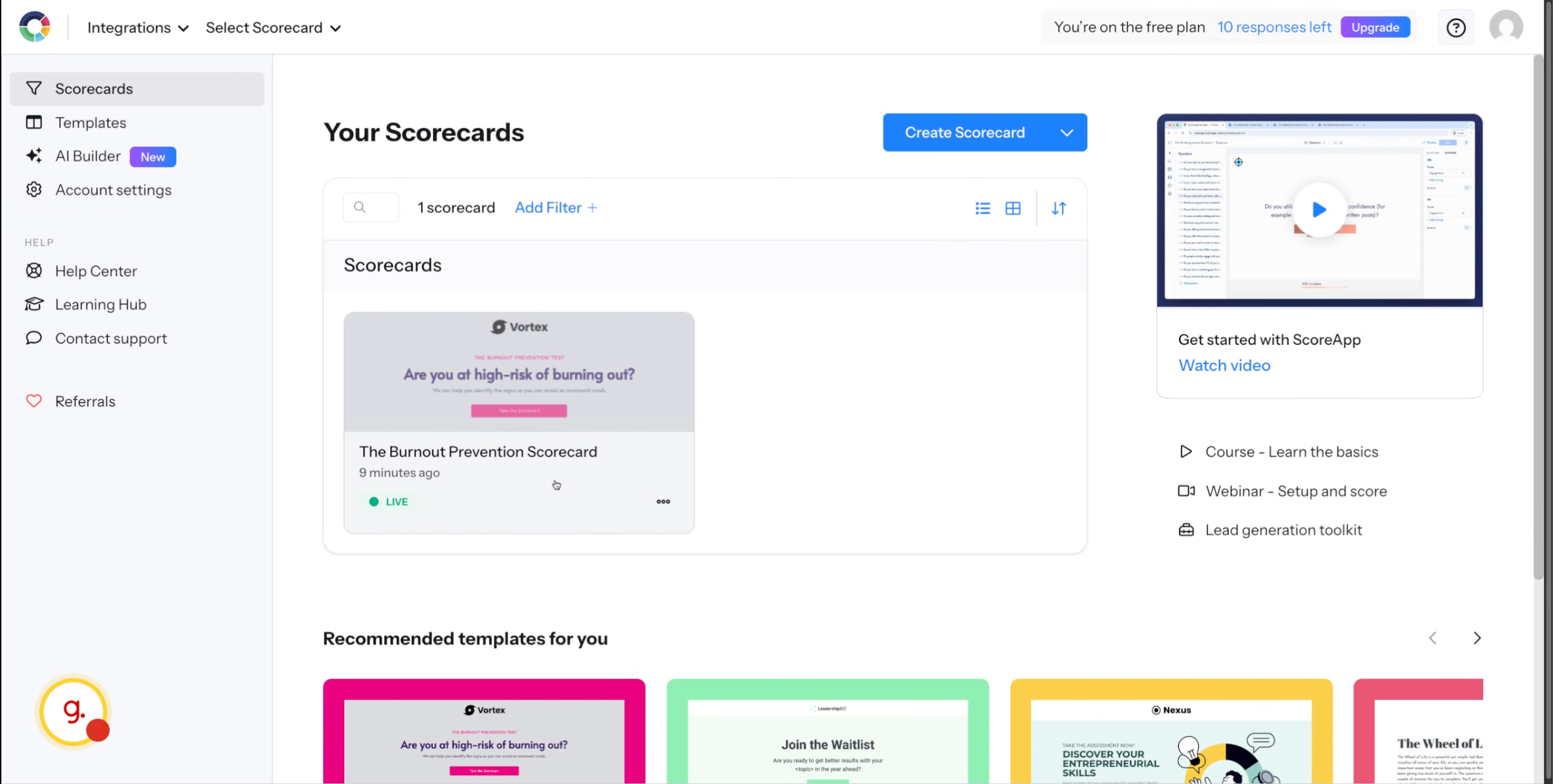
Login to your account and select the scorecard you want to receive events.
2. Paste Keragon Webhook URL
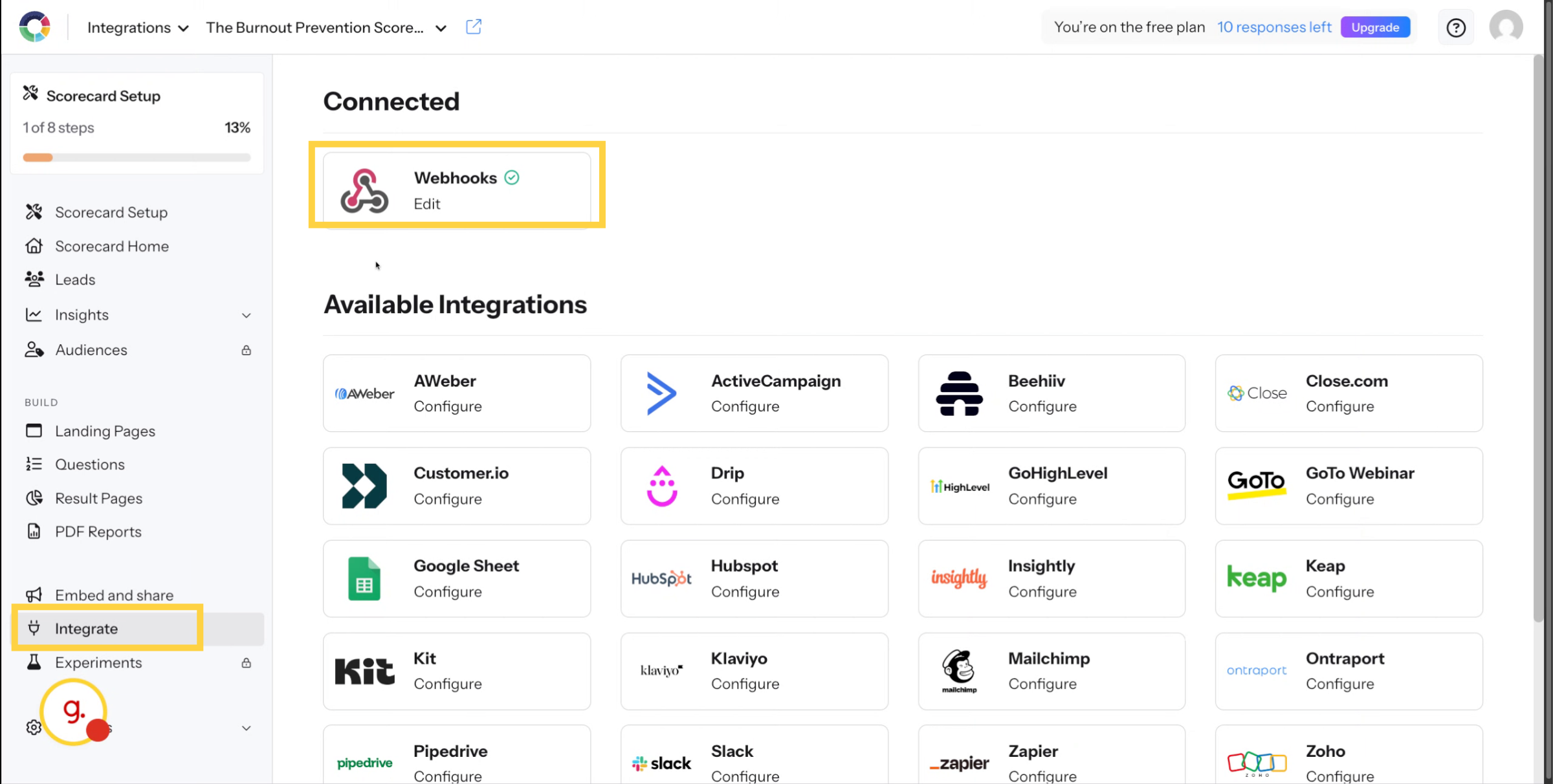
In the left, click Integrate and select Webhooks.
3. Choose Events And Complete Setup
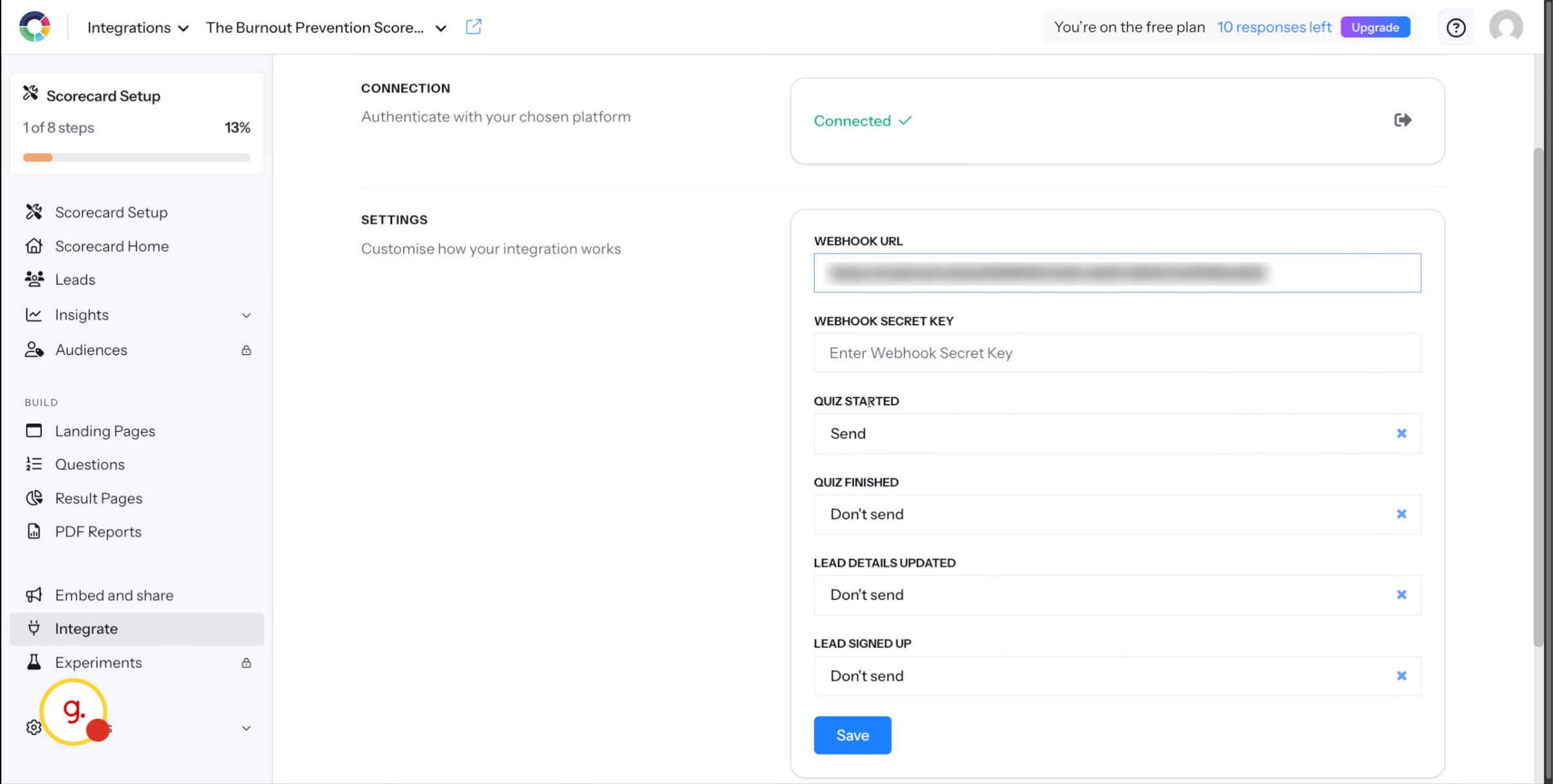
Add your Keragon webhook URL and select any events you want this webhook URL to receive and click save.
This article guided you through setting up a webhook in ScoreApp