This tutorial guides you through the process of finding your API key in Humanitix.
Go to console.humanitix.com
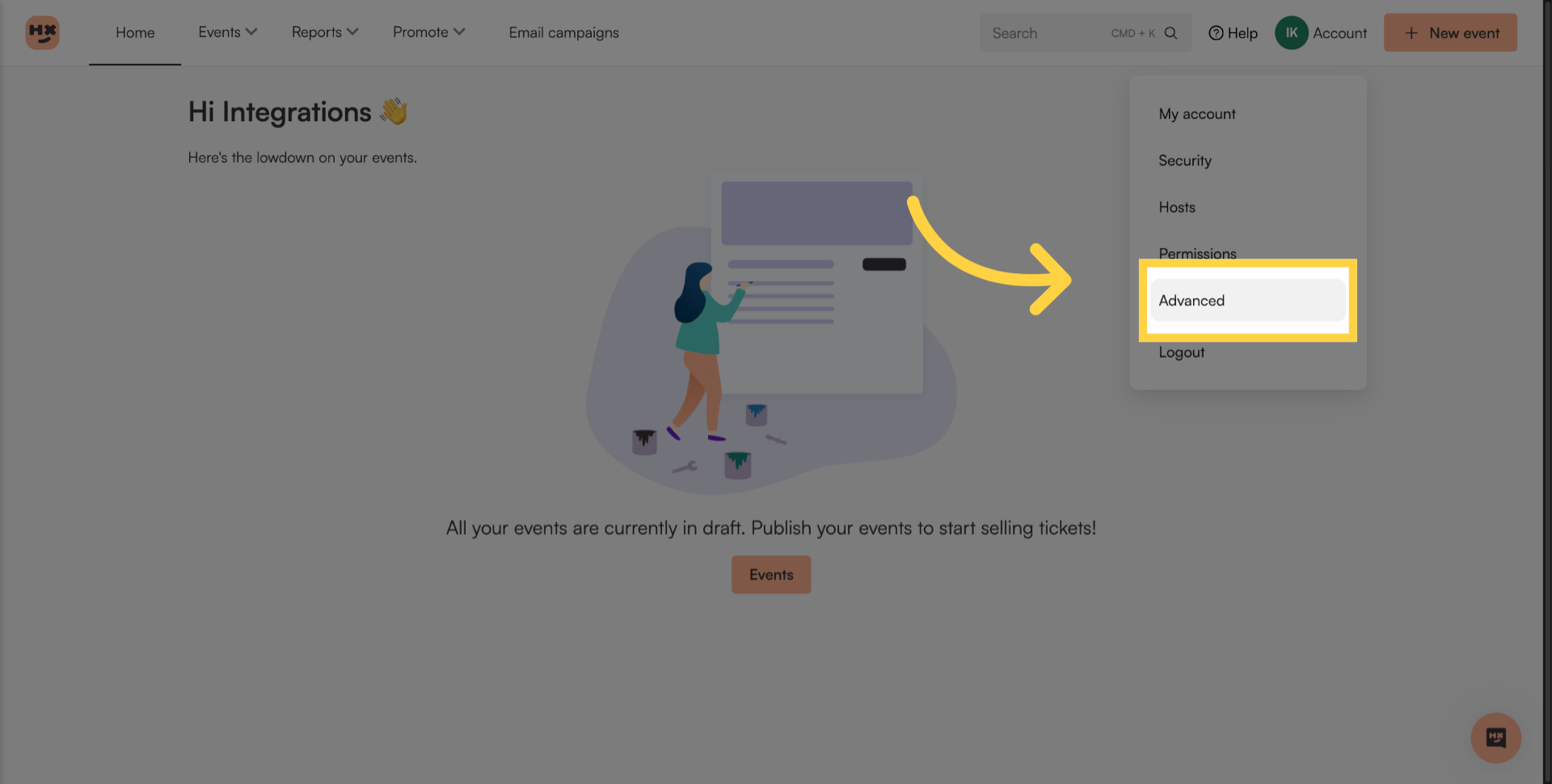
1. Click your account icon
Click your account icon in the top right of your screen.

2. Go to advanced settings
Click the Advanced tab to access additional configuration options.
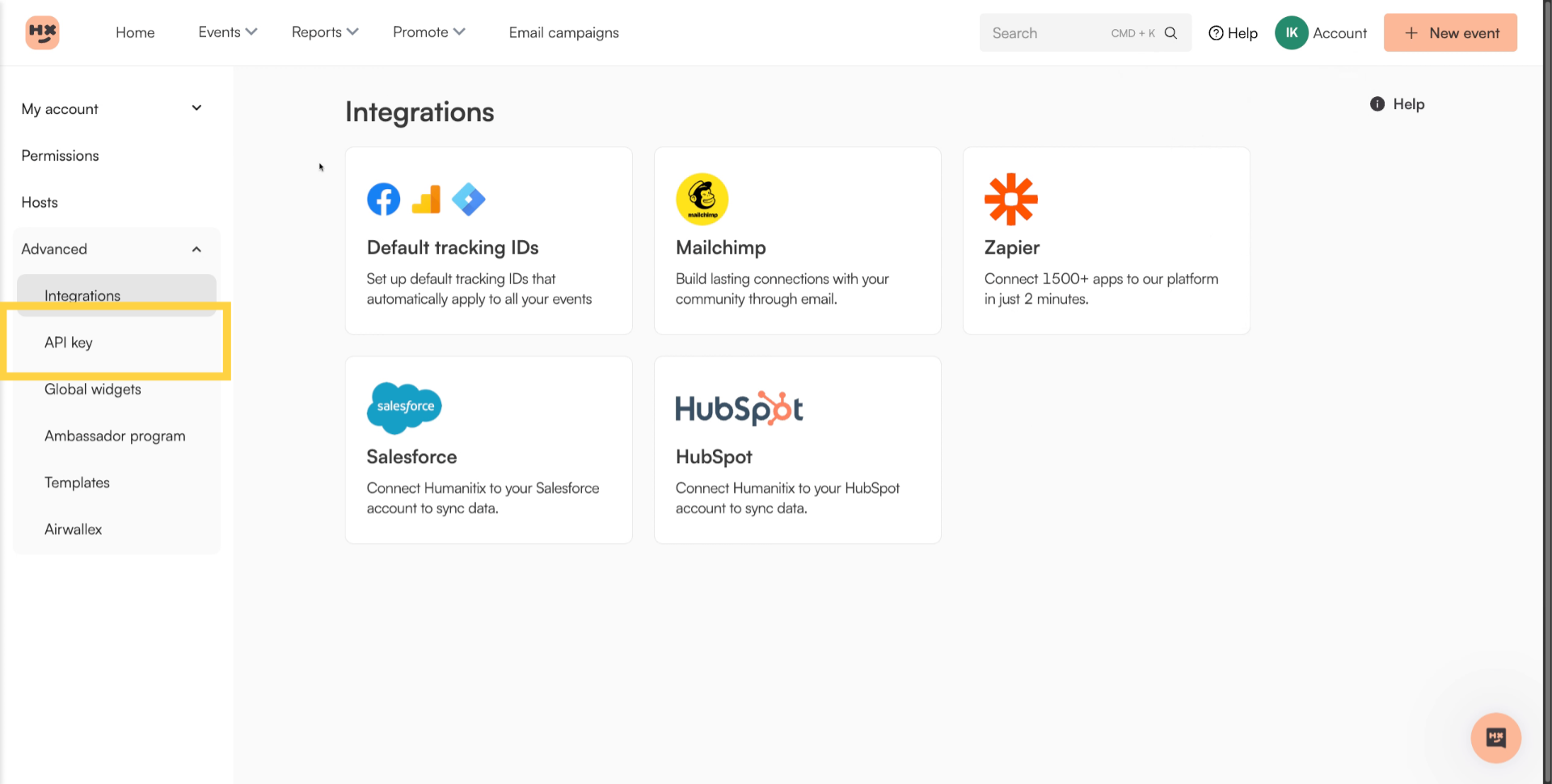
3. Go to API key tab
In the left menu, click API key.
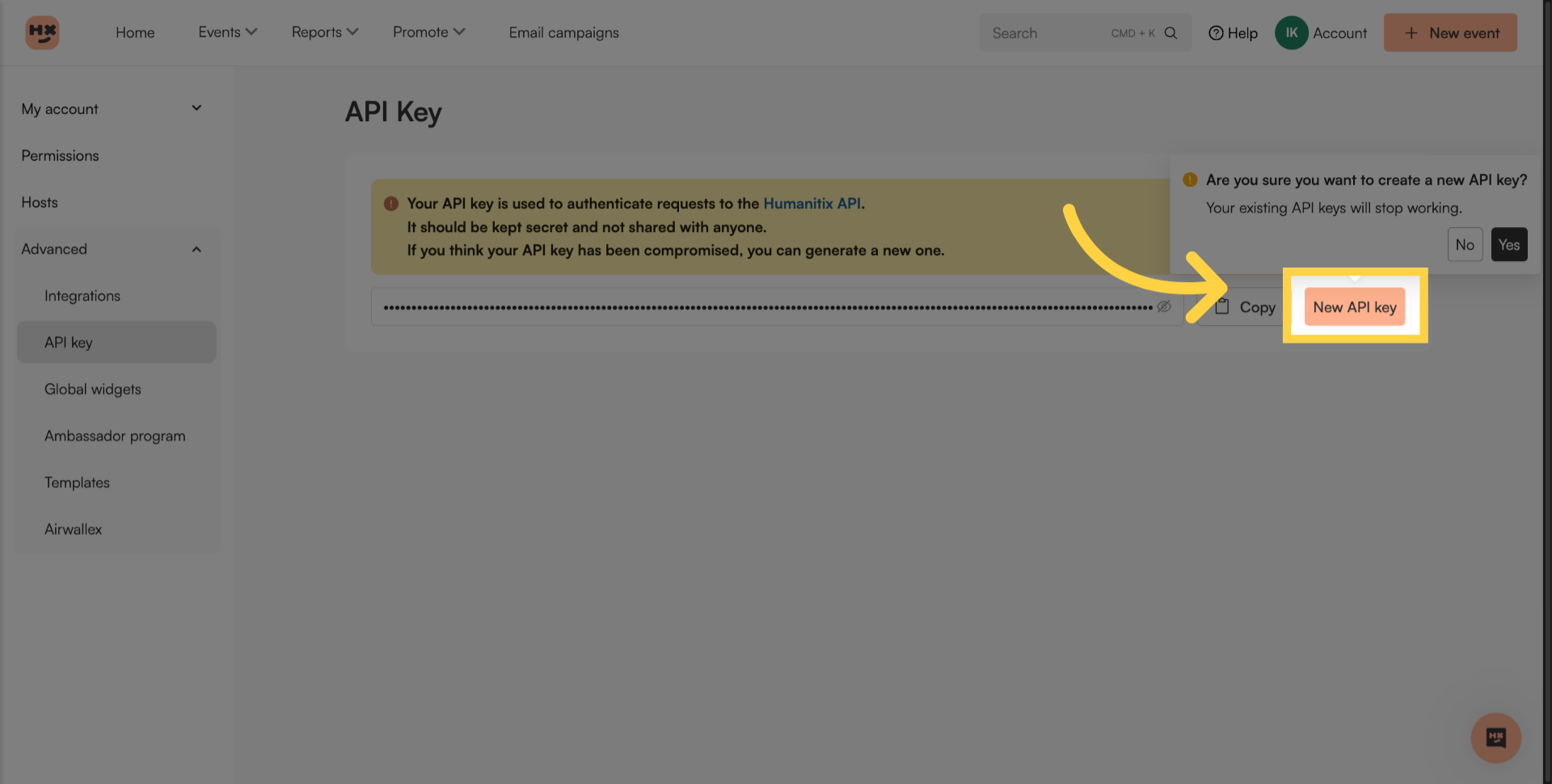
4. Copy Your API Key
Proceed to generate a new API key. If you already have one, it will override your existing API key.
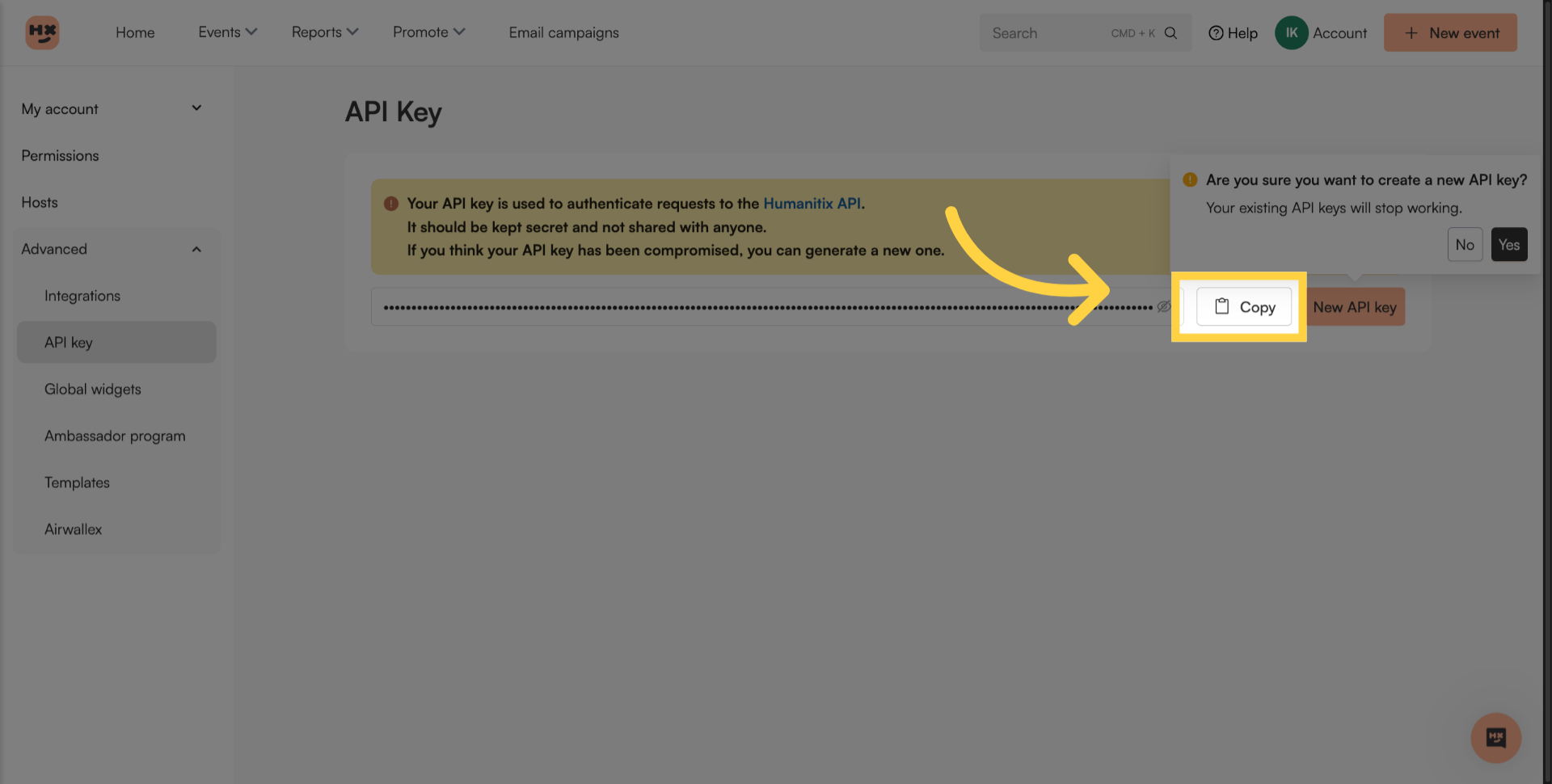
5. Copy Your API Key
Copy your API key.
You have successfully located and copied your API key in Humanitix, enabling you to authenticate API requests securely. Remember to keep your key confidential.