This is a step by step guide on how to connect your Hint account in Keragon.
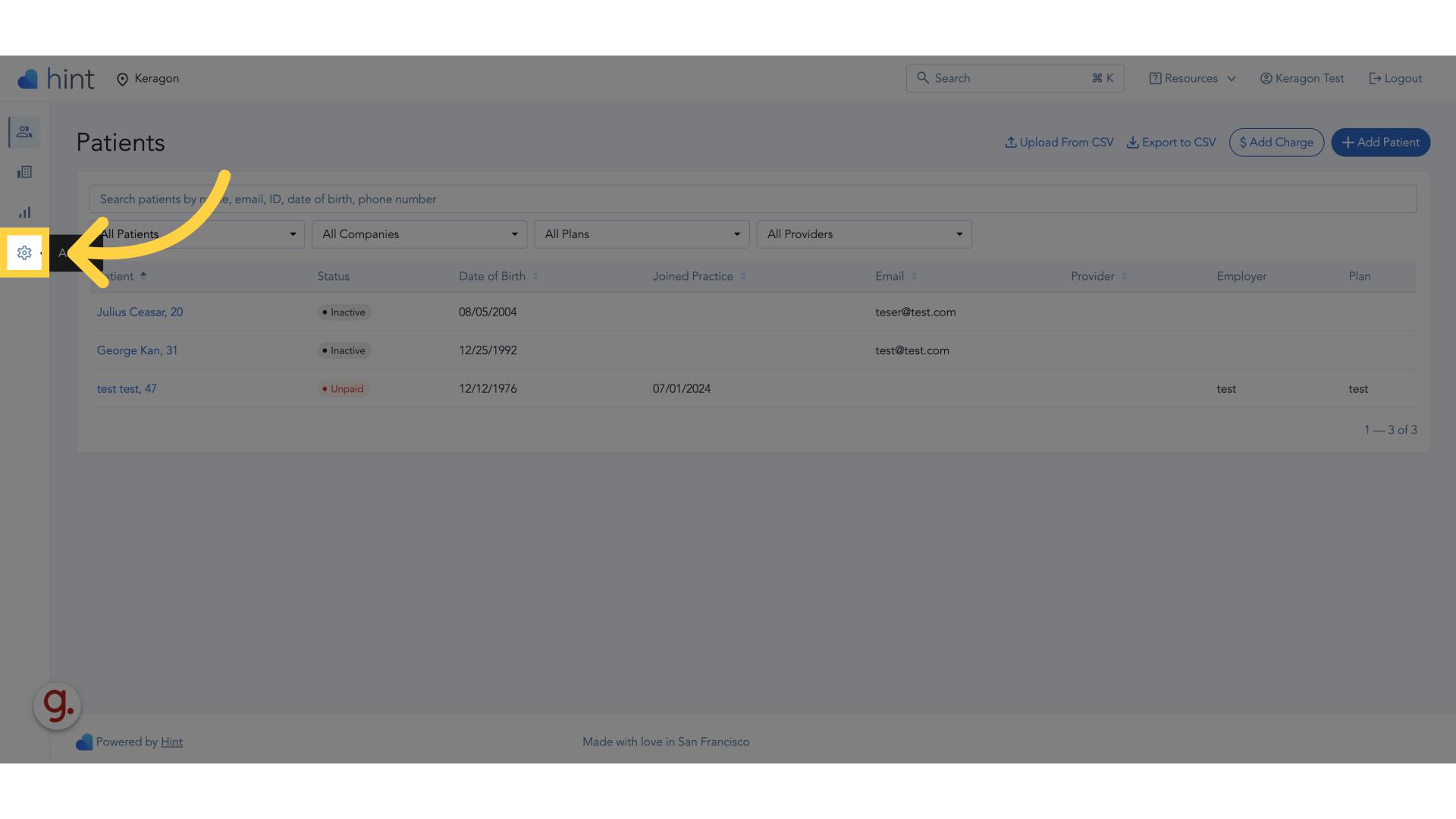
1. Click "Settings"
Click on the "Settings" icon on the left hand side in your Hint dashboard.
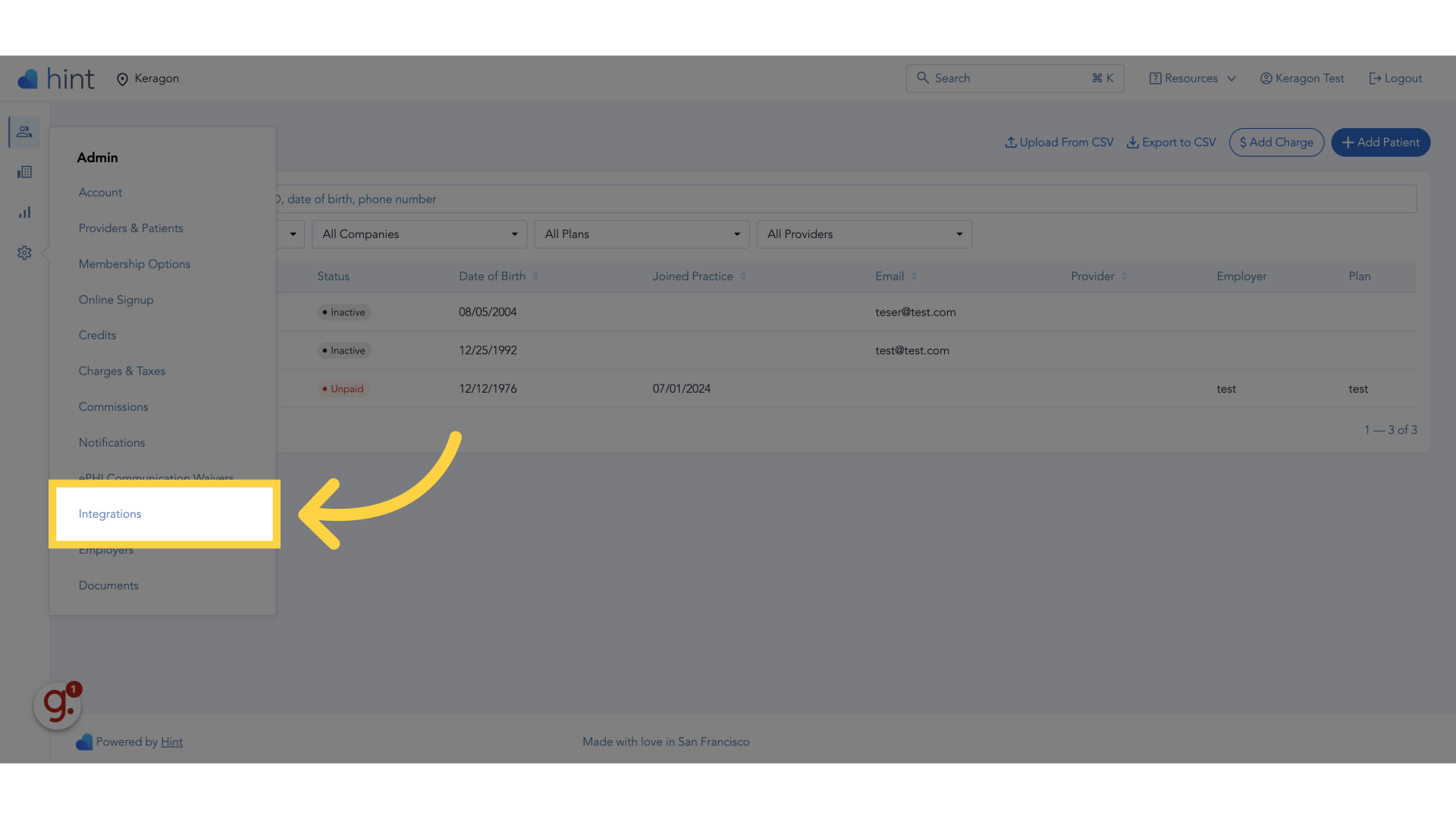
2. Click "Integrations"
Navigate to the "Integrations" section.
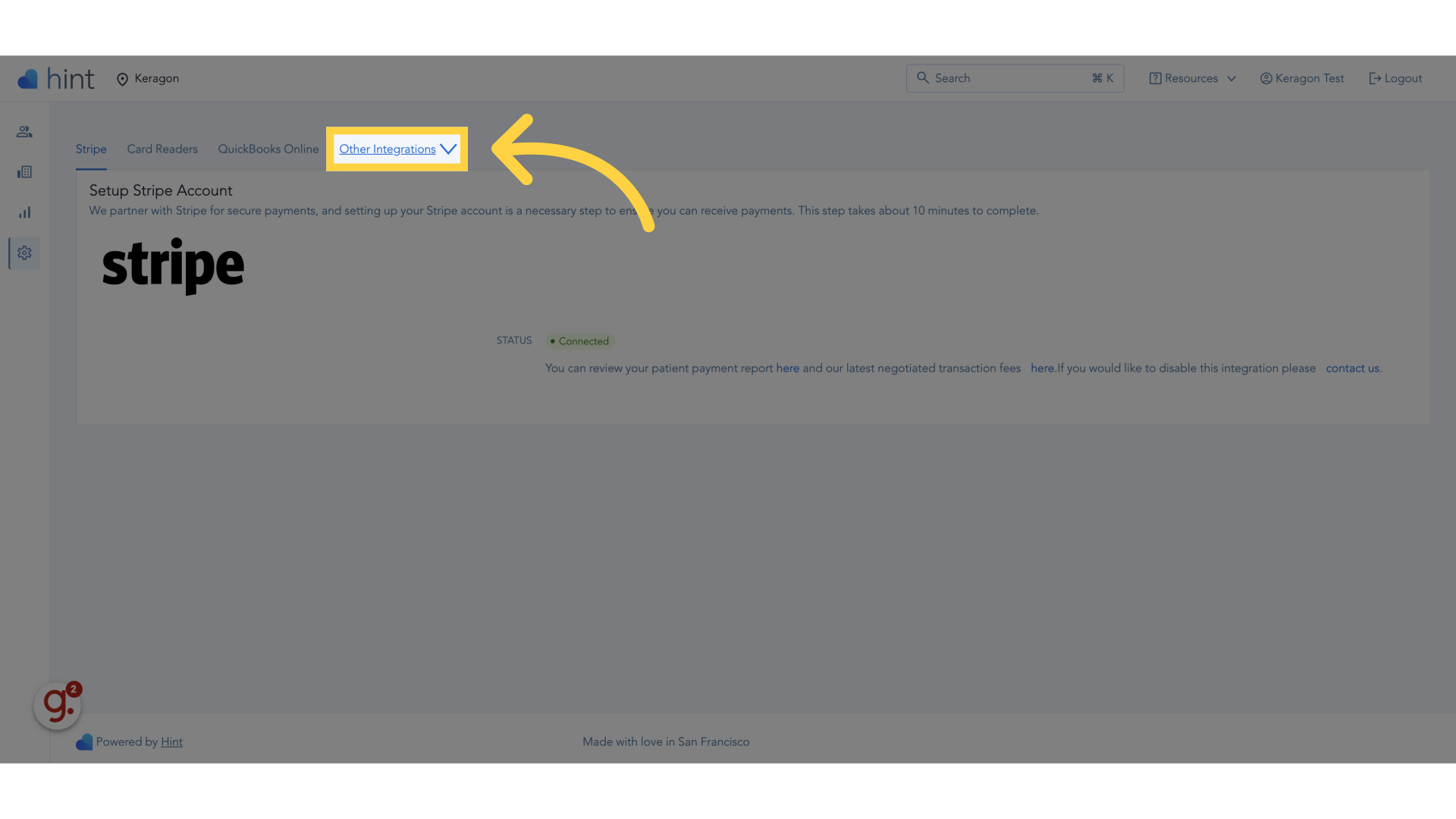
3. Click "Other integrations"
Click on the "Other integrations" dropdown.
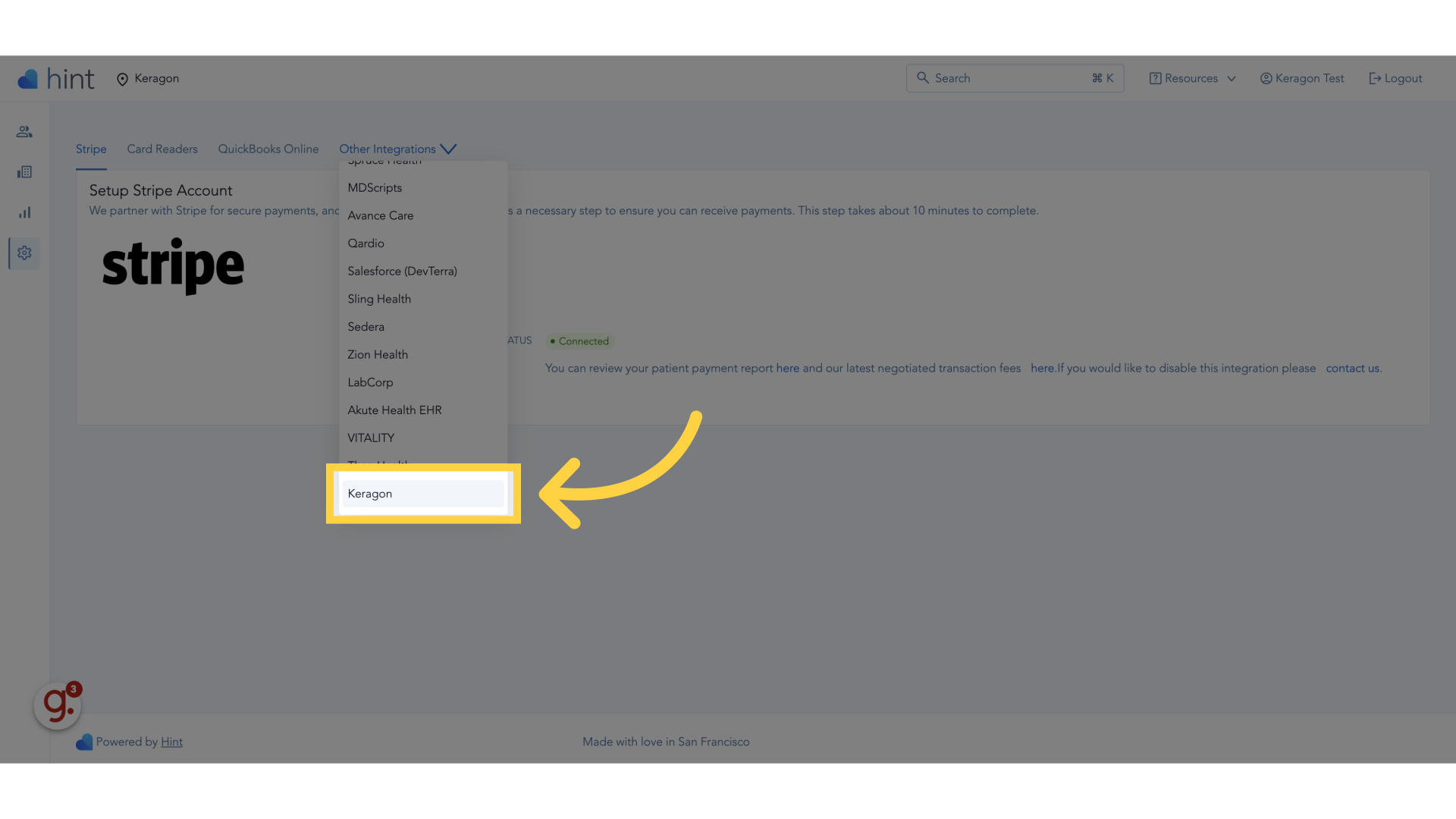
4. Click "Keragon"
Select the "Keragon" option.
Can't find keragon?
If you cannot find Keragon as an integration option, please reach out to Hint support mentioning that you want to integrate Keragon and ask them to enable it for your account by providing your practice name.
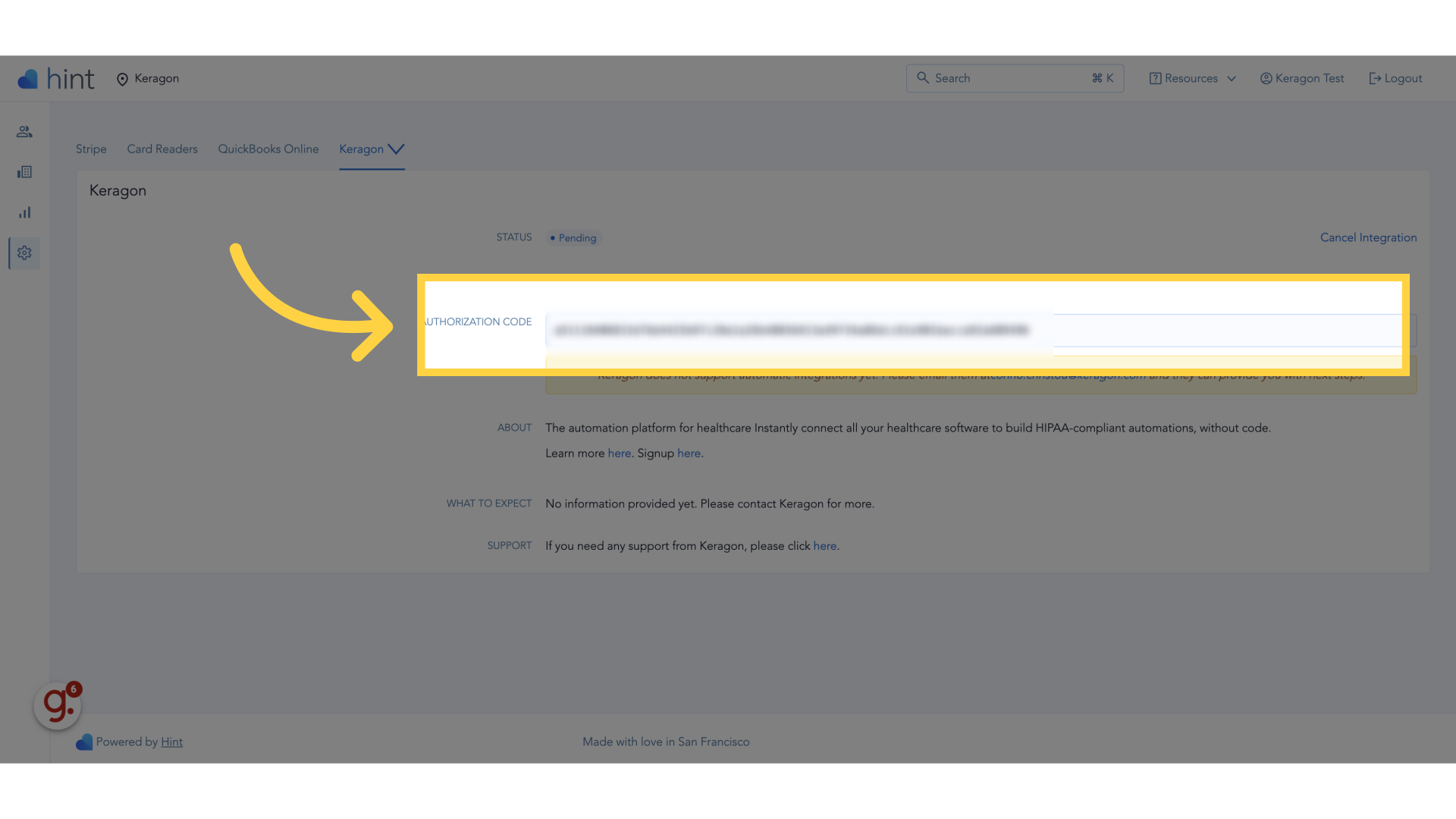
5. Copy this value
Copy the authorization code.
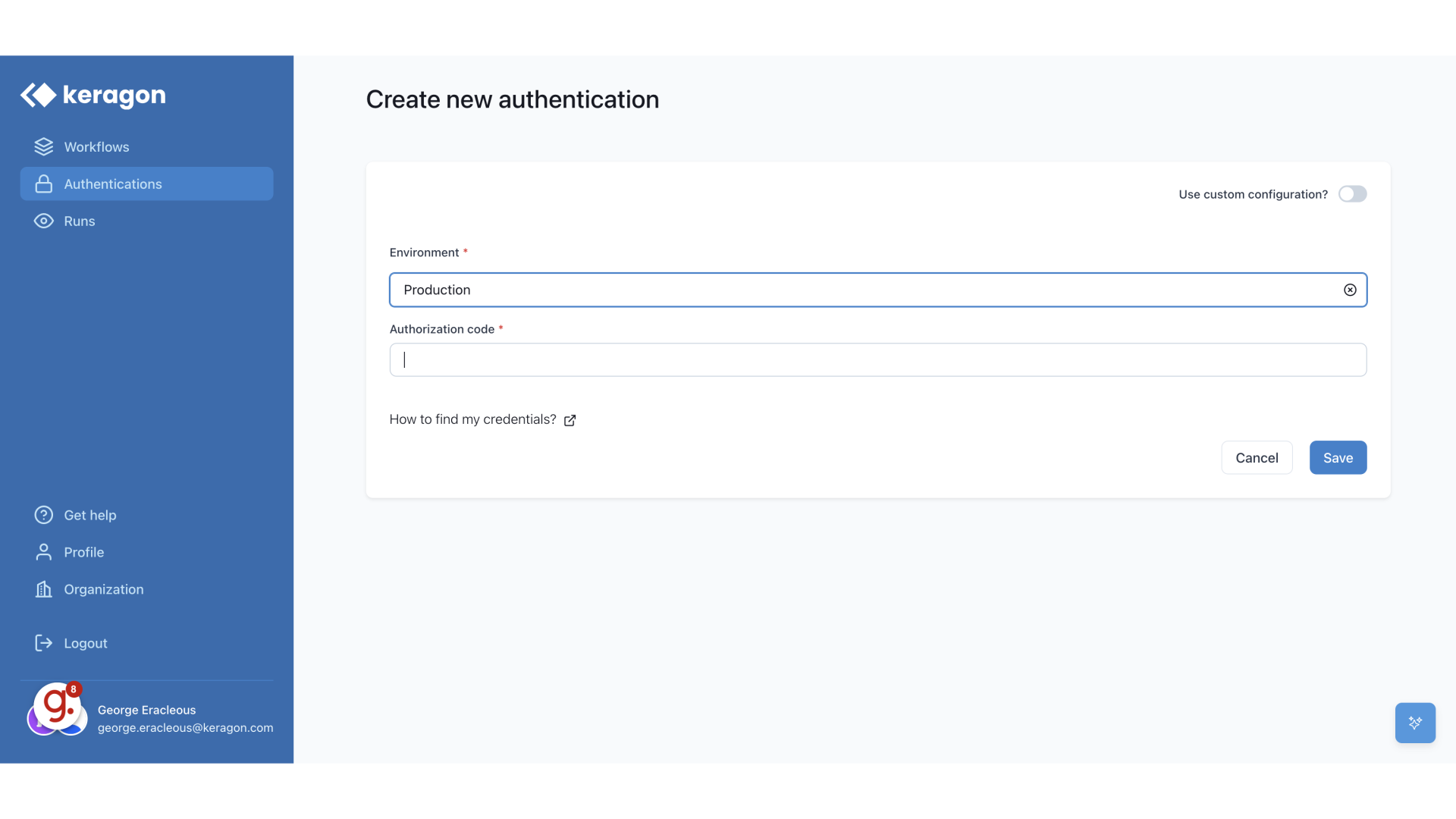
6. Switch to "app.keragon.com"
Switch to your Keragon dashboard and start creating a new Hint authentication.
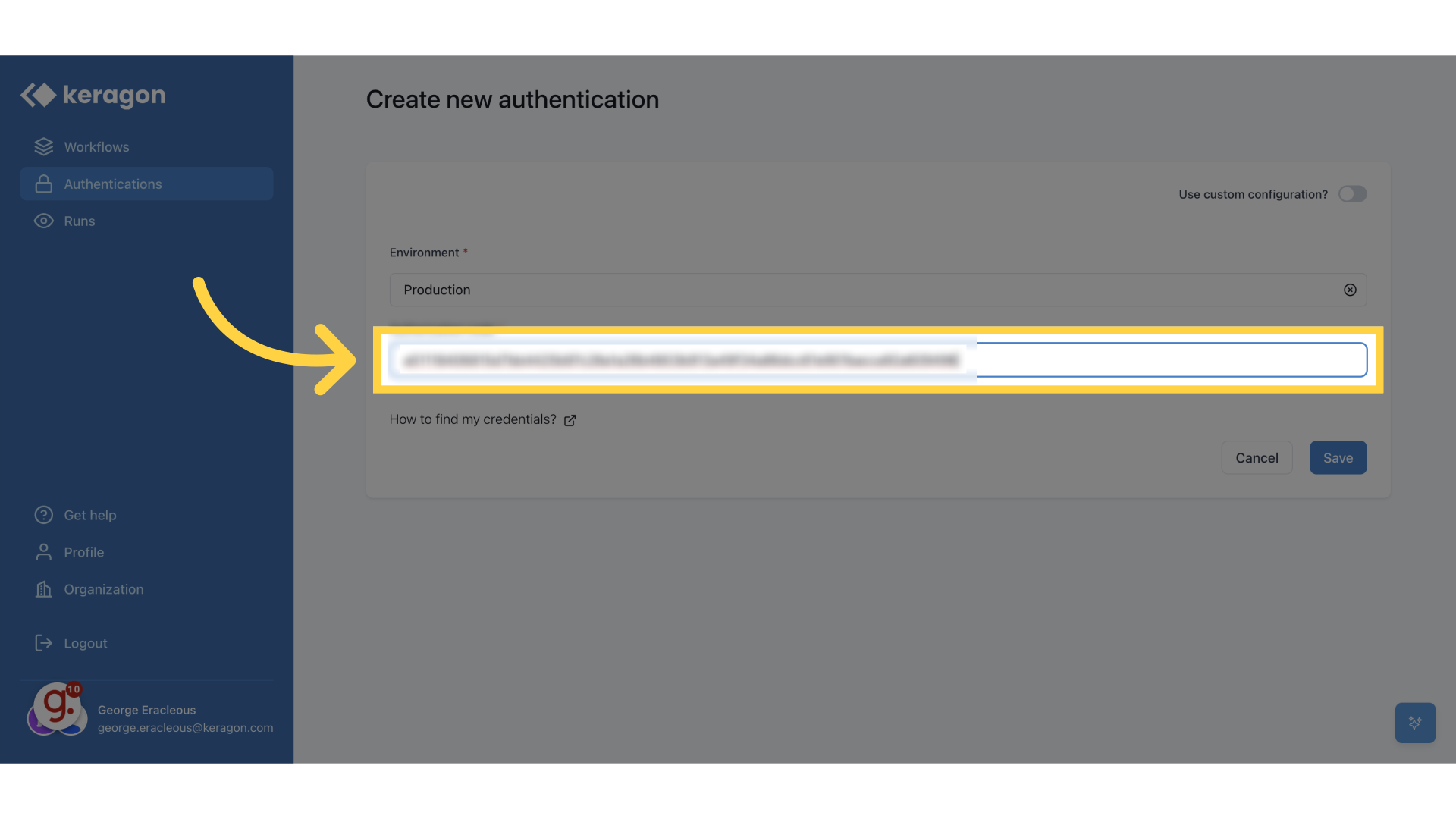
7. Paste the value in the "Authorization code" field
Enter the specific code provided.
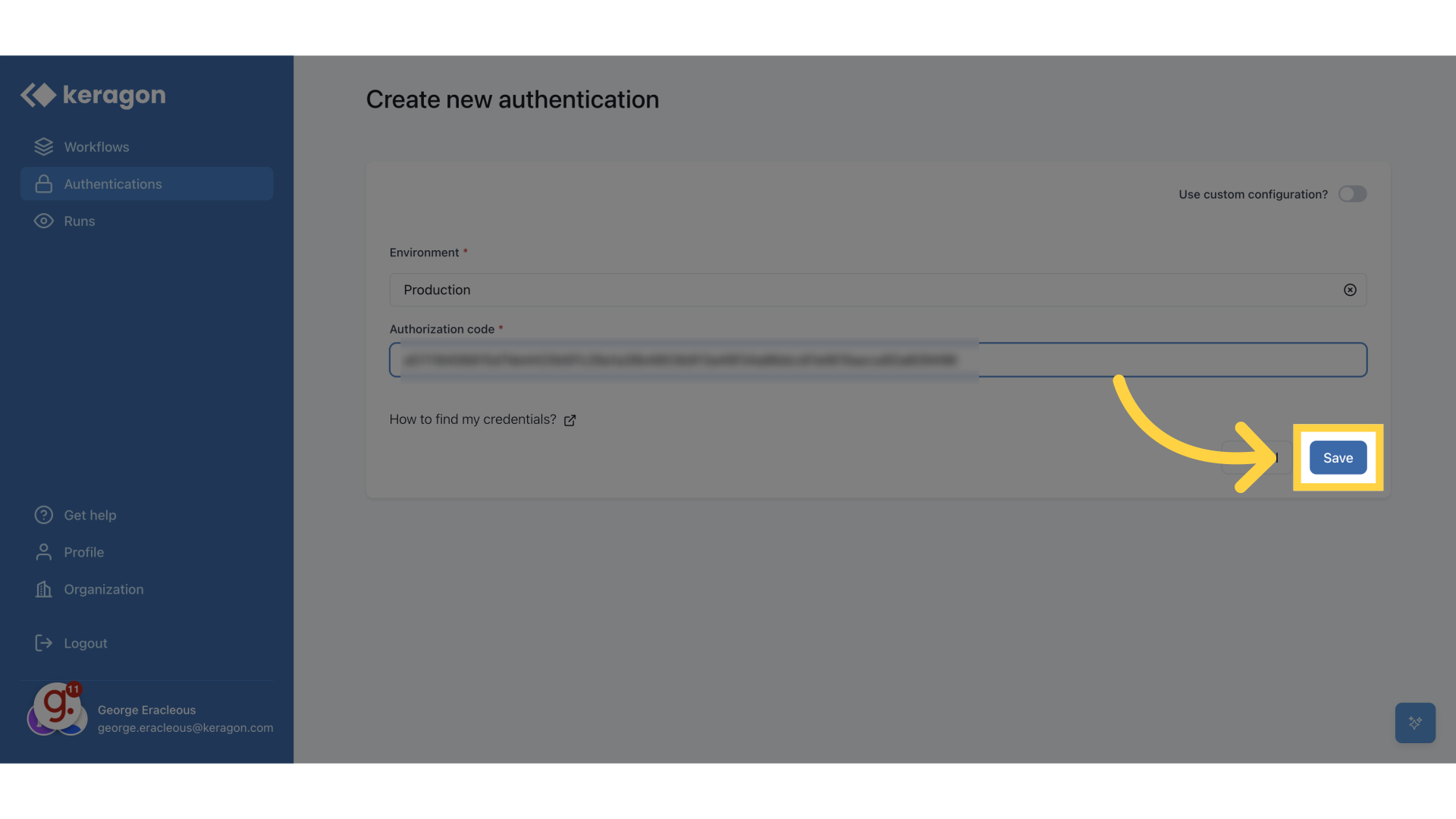
8. Click "Save"
Save the changes made.
This guide walked you through finding your credentials in Hint and setting up an authentication in Keragon